Introducing MatrixQR URL Generator: Fast, Free & 100% Client-Side Link QR Codes
A private URL QR generator is a privacy-first web tool that converts web addresses, deep links, or URLs directly into static 2D barcodes inside local browser memory, eliminating server-side logging, tracking redirects, and payload interception.
We are thrilled to officially unveil our dedicated URL QR Code Mode on MatrixQR! Whether you are pointing scanners to landing pages, documentation, or online shops, you can now generate high-resolution web link QR codes without exposing destination URLs or visitor data to external analytics trackers.
In an era dominated by third-party tracking pixels and sneaky subscription models, generating a simple website barcode shouldn't mean sacrificing data privacy or handing over user analytics. Read on to discover how our client-side URL QR code engine redefines security, performance, and customization.
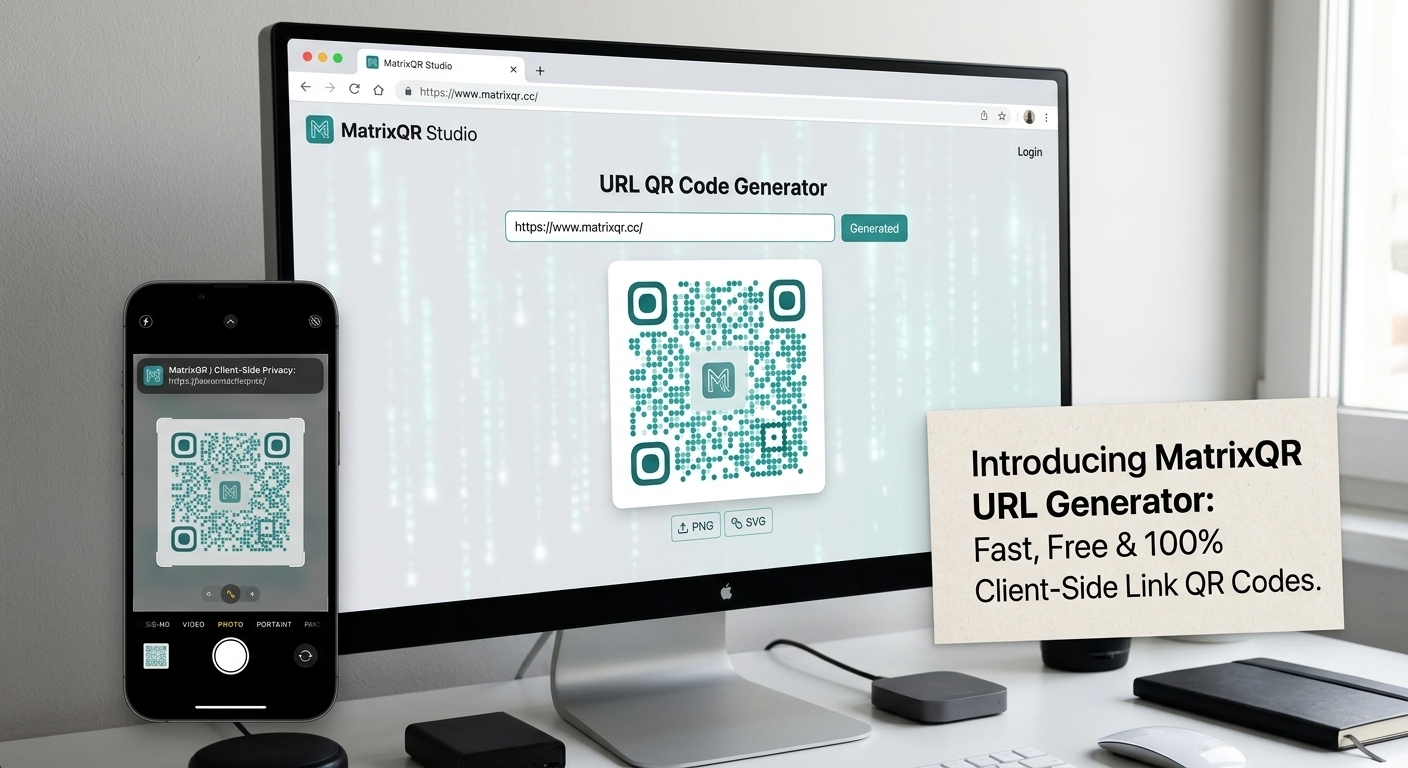
Need more than web address barcodes? Check out our guides on creating privacy-first customizable QR codes, or generate offline WiFi credentials & vCard digital business cards with zero server logging.
The Hidden Risk of Traditional Online Link Generators
Most cloud-based free link QR generators operate on a server-centric architecture. When you enter an address like https://yourdomain.com into a typical SaaS tool, two significant privacy and stability issues arise:
- URL Interception & Analytics Logging: Remote servers log your destination address, IP timestamp, and campaign intent into external tracking databases.
- Middleman Redirect Chains: Many platforms generate "dynamic" barcodes that route users through an intermediate proxy URL (e.g.,
https://track.saas.com/x9z3). If the provider shuts down, alters pricing, or rate-limits traffic, your printed QR codes instantly break.
How MatrixQR Ensures 100% Client-Side Privacy
MatrixQR operates on a zero-trust, browser-only paradigm. By utilizing modern Web API standards and local JavaScript execution, our client-side URL QR code renderer guarantees complete data isolation:
- Local Strings Processing: Your website address is converted into a binary barcode matrix directly in your browser JavaScript thread.
- Direct Link Encoding: The generated matrix encodes your exact target URL (with automatic protocol validation for
http://orhttps://), ensuring scanners land directly on your site with zero intermediate redirects. - Zero Telemetry Payload: As you input your URL or tweak styling, zero HTTP
POSTorGETpayload requests leave your device.
Architectural Breakdown: MatrixQR vs. Cloud Barcode Generators
| Feature Metric | MatrixQR URL Mode | Standard SaaS Barcode Tools |
|---|---|---|
| Data Execution | 100% Client-Side Sandbox | Backend Cloud Server |
| Link Structure | Direct Static URL (Permanent) | Redirect Proxy (Risk of Expiration) |
| Tracking & Logs | Zero Telemetry / Zero Logging | IP Tracking & Analytics Logging |
| Vector Export (SVG) | Free & Unlimited | Often Paywalled / Subscription Locked |
| Custom Branding | Hex Colors & Local Logo Masking | Watermarked on Free Tiers |
Advanced Features: Brand Customization & Logo Embedding
Privacy shouldn't mean boring black-and-white barcodes. Our new URL module includes full support for advanced visual styling:
- Custom Hex Color Palettes: Customize matrix body colors, background shades, and outer/inner corner positioning markers (finder patterns) to match your visual brand identity.
- Client-Side Center Logo Insertion: Upload your company logo or favicon. MatrixQR clips and layers the graphic over the error-corrected center zone locally using HTML5 Canvas—your logo file is never uploaded to any remote host.
- High-Resolution Vector & Raster Export: Export your customized link QR code as lossless SVG for print collateral or high-density PNG for digital display.
How to Create a Private Website URL QR Code in 4 Easy Steps
Generating a secure, branded link barcode takes only a few seconds:
-
Navigate to URL Mode:
Open MatrixQR and click the URL QR tab in the navigation bar. -
Input Web Address:
Type or paste your landing page URL into the input field (e.g.,https://www.matrixqr.cc). -
Apply Custom Design:
Enable Custom Colors to select custom hex values or choose from pre-set themes (Vintage Gold, Cyber Blue, Emerald Green). Upload an optional center brand logo. -
Run & Export:
Click ⚡ RUN MATRIX CORE to render the barcode locally, then select PNG or SVG format and click Export.
Frequently Asked Questions (FAQ)
Does MatrixQR track clicks or redirect my URL QR code?
No. MatrixQR generates direct, static URL QR codes. Your web addresses are encoded directly into the matrix without intermediate redirect links or analytics tracking.
Will my generated link QR code ever expire?
Never. Because MatrixQR outputs pure static QR matrices pointing directly to your destination URL, the code remains active indefinitely as long as your destination website exists.
Is my website address sent to any external server during generation?
No. All URL string processing, matrix layout calculation, and image rendering happen entirely within your browser local memory using HTML5 Canvas.
Can I add my company logo to the website link QR code for free?
Yes. MatrixQR Studio allows you to upload custom brand logos and customize matrix colors 100% free with no paywalls or watermarks.
Technical Standards & References
- ISO/IEC 18004:2015 Information Technology — Automatic Identification and Data Capture Techniques (QR Code Bar Code Symbology Specification)
- W3C HTML Standard & Canvas 2D API Context Specification: W3C Recommendation
- European Data Protection Board (EDPB) Guidelines on Data Minimization & Privacy by Design
- MatrixQR Public Open Source Codebase: GitHub Repository
Start Generating Secure URL QR Codes Today
Experience fast, tracking-free web link barcode generation with full visual customization and vector output.
Ready to create your private link barcode? Launch MatrixQR now and experience true browser-side privacy.