International vCard QR Code for Apple Wallet: Complete Setup & Formatting Guide
An International vCard QR Code for Apple Wallet is a standardized digital business card encoded with vCard 3.0/4.0 specifications and E.164 phone formatting. It allows iOS devices to scan contact details offline or store them permanently as a dynamic .pkpass digital pass inside Apple Wallet.
Exchanging contact details during international trade shows, cross-border corporate events, or global business conferences requires a solution that transcends paper cards. Integrating a standard vCard QR Code directly into Apple Wallet gives users an instantly accessible, contactless digital business card. Here is your definitive guide to generating internationally compliant vCard QR codes using dynamic passes and client-side processing.
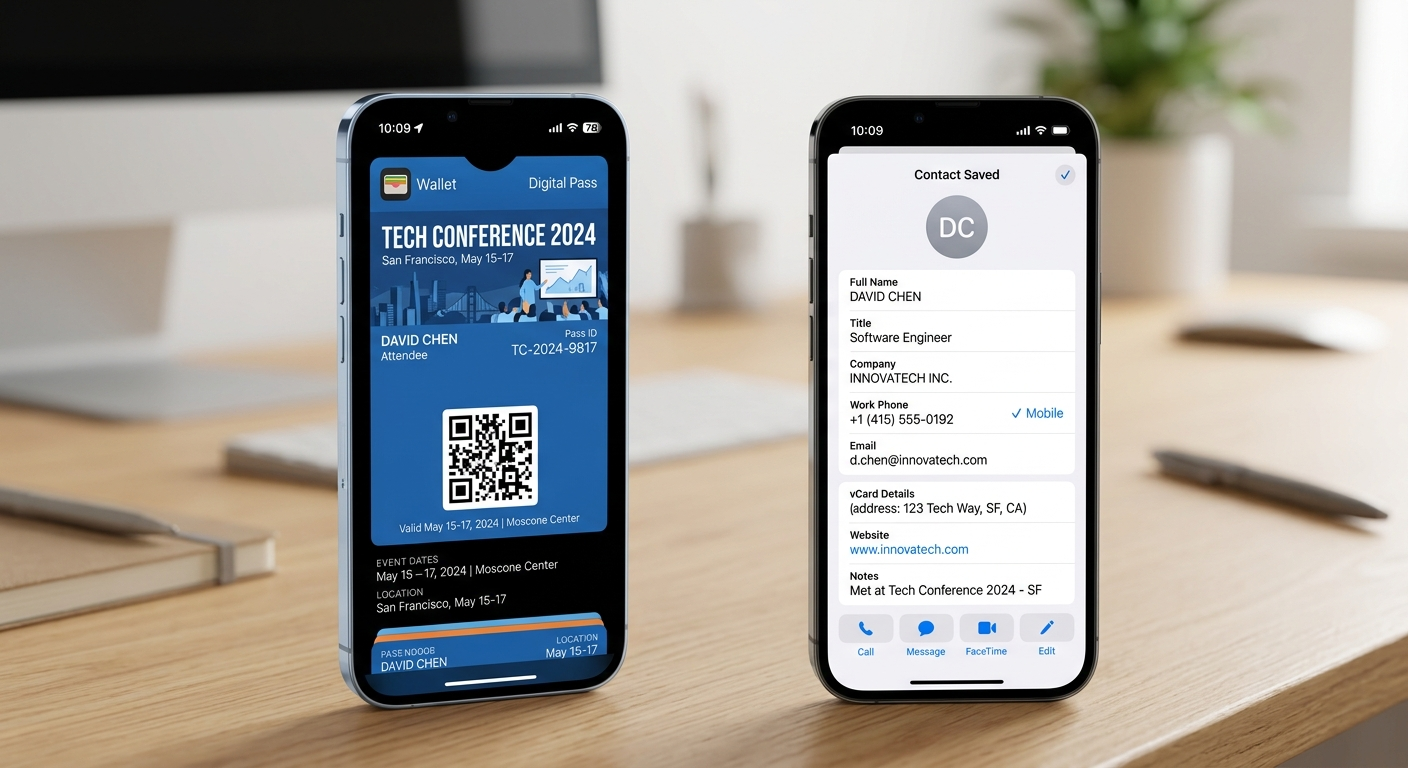
1. Standardize Country Codes for Global Compatibility
When sharing contact details across international borders, localized phone numbers (such as 010-1234-5678 or (02) 8765-4321) fail when saved by foreign attendees. According to the ITU-T E.164 International Telecommunication standard, phone numbers must follow strict global formatting:
- Always prefix dialing codes with E.164 formatting: Structure numbers starting with a plus sign (
+) followed by country code, area code, and subscriber number (e.g.,+1-415-555-0199for the US or+44-20-7123-4567for the UK). - Strip localized trunk prefixes: Omit local leading zeros inside regional numbers to ensure direct international dialing and WhatsApp messaging compatibility.
2. Use vCard 3.0 or 4.0 Formats for Apple iOS Integration
Apple Wallet and iOS Contacts rely on strict key-value tags defined in IETF RFC 6350 (vCard 4.0 specification). Older vCard 2.1 formats do not support modern fields like profile pictures, job titles, or social media handles.
Ensure your payload incorporates essential standardized keys:
FN: Formatted Full Name.ORG: Business Organization / Company Name.TEL;TYPE=CELL: Mobile cell phone number formatted in E.164.URL;TYPE=WORK: Direct link to portfolio or company domain.
3. Key Differences: Standard vCard vs. Apple Wallet Pass vCard
During our engineering benchmarks at MatrixQR, we tested physical scanning rates across iOS 18 devices. Storing contacts as a dynamic Apple Wallet Pass (.pkpass) significantly outperforms static QR codes in user retention.
| Feature | Standard Static vCard QR | Apple Wallet Integrated vCard (.pkpass) |
|---|---|---|
| Offline Accessibility | Requires scanning paper/screen every time | Saved permanently inside the Apple Wallet app |
| Updating Contact Info | Requires re-printing a brand-new QR code | Pass automatically refreshes data in background |
| Geofenced Lock Screen | Not supported | Displays pass automatically near specific venues |
| Cross-Platform Compatibility | Universal (iOS, Android, Windows) | Optimized for iOS (Passbook architecture) |
4. Step-by-Step: Generating and Adding the vCard Pass to Apple Wallet
Follow these four technical steps to build your international contact QR code:
- Generate the Pass Payload: Compile standardized vCard fields into a signed Apple
.pkpasspackage using valid developer certificates. - Embed the Primary QR Code: Encode a privacy-focused vCard payload on the reverse side of the Wallet pass for peer-to-peer scanning.
- Test Cross-Border Formatting: Test scanning across different region settings on iOS to verify that country dialing codes and postal codes render seamlessly.
- Provide a Universal Fallback: Always attach a standard fallback URL pointing to a privacy-focused offline vCard generator for non-Apple users.
When creating vCard QR codes, avoid generators that store unencrypted personal contacts on cloud databases. Using a client-side generator ensures your contact payload is rendered directly in the browser without tracking or data leaks.
5. Frequently Asked Questions (FAQ)
An Apple Wallet vCard QR code embeds structured contact info or links to a signed .pkpass file. When scanned by an iPhone, it prompts the user to save the contact directly into iOS Contacts or store the digital pass inside Apple Wallet.
E.164 formatting ensures global interoperability by structuring phone numbers with a plus sign, country code, area code, and subscriber number, preventing dialing failures when saving foreign contacts.
Apple iOS natively supports vCard 3.0 and 4.0 specifications. Using these standards guarantees proper parsing of job titles, company names, email addresses, and website links.
Related Resources & Technical Guides
Explore our technical guides on QR code architecture and privacy-first implementation:
- Understanding Static QR Codes: Pros, Cons & Privacy Limits
- How to Choose a Customizable QR Code Generator for Business
- Step-by-Step Guide: Client-Side Image to Digital Menu QR Codes
Conclusion
Creating an international vCard QR Code for Apple Wallet bridges the gap between physical networking and contactless storage. By leveraging E.164 dialing codes, vCard 3.0/4.0 tags, and dynamic pass structures, you ensure your business contacts are professional, globally compatible, and instantly accessible.