Traditional Menus Have Limits: Why Diners Deserve More Than Paper in a Digital Age
Last weekend, a few friends and I visited a well-known local restaurant in Louisiana to try its famous seafood gumbo. The restaurant was packed, and the long line outside was a pretty good reminder of just how popular the dish had become. While we were waiting and chatting, one of my friends noticed something surprisingly traditional: the restaurant was still using paper menus.
That observation quickly turned into a conversation about the QR code generator website I am building. My friends jokingly asked whether we should suggest that the restaurant owner create a menu that customers could open by scanning a QR code with their phones.
It was a joke at first, but the idea made sense. Restaurants already use digital tools for reservations, payments, ordering, and customer communication. A QR menu is another relatively simple digital option that can complement, rather than necessarily replace, the traditional printed menu.
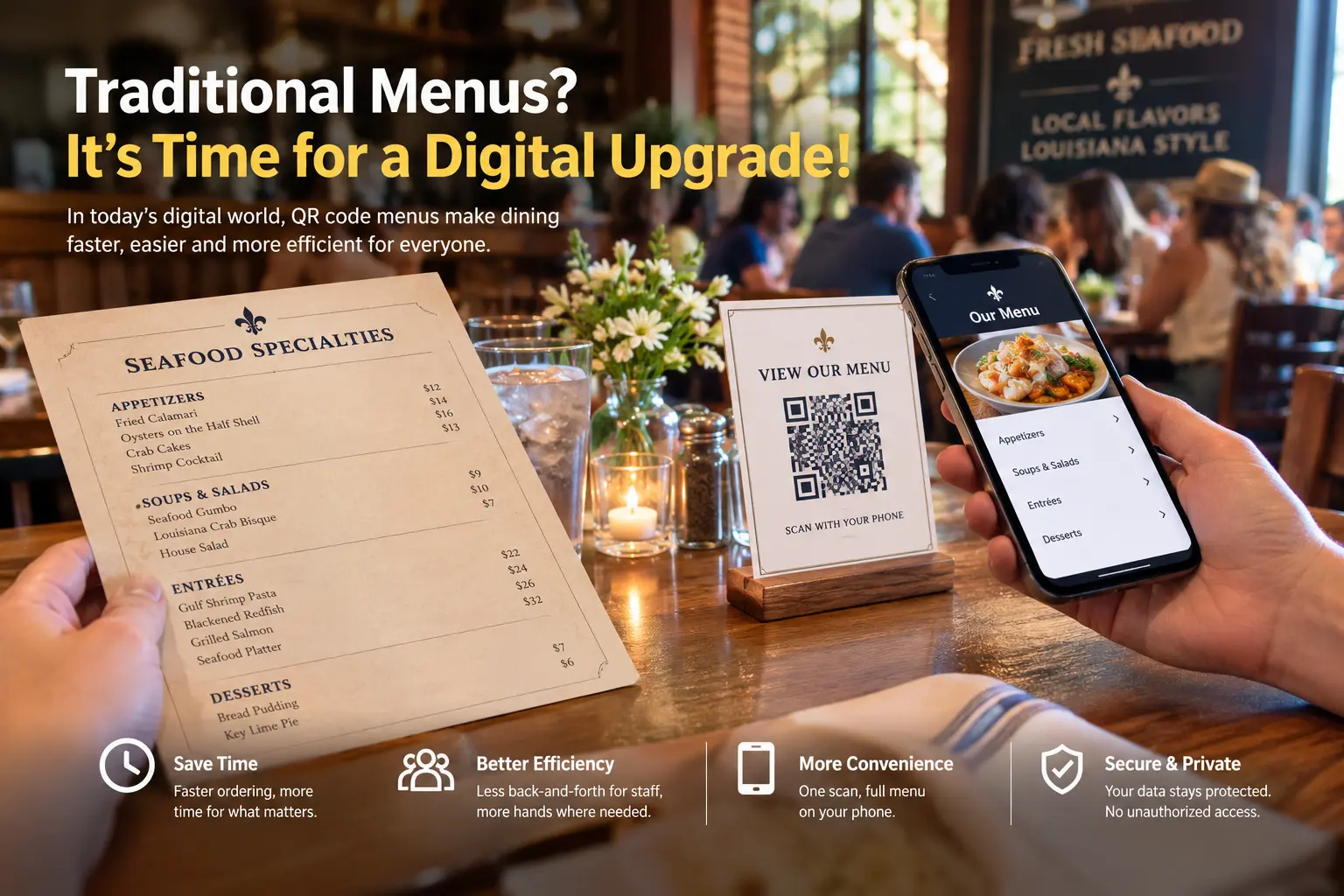
Why Traditional Paper Menus Can Become a Problem When a Restaurant Gets Busy
Paper menus are familiar, easy to understand, and still perfectly practical in many dining situations. The problem appears when a restaurant has a large number of guests at the same time. At that point, a simple physical object can become a bottleneck.
Limited Menu Availability
A restaurant needs enough printed menus for the number of tables and guests who may need them. If most menus are already being used, new arrivals may have to wait before they can see the available dishes. During a busy weekend service, even a short delay can add friction to the dining experience.
More Repeated Work for Front-of-House Staff
Staff members often need to distribute menus, collect them, answer basic questions, take orders, deliver food, refill water, and respond to other requests. A digital menu cannot replace good hospitality, but it can remove one repetitive step: making sure every guest has a menu in front of them.
A QR menu works best as a complement to traditional service. Restaurants can still keep printed menus for guests who prefer them while offering a fast digital alternative for people who would rather use their phones.
How a QR Code Menu Can Help During Peak Dining Hours
The main advantage of a restaurant QR menu is straightforward: customers can access the information themselves. Instead of waiting for a physical menu to become available, they can scan the code and browse the dishes on their own device.
- Faster menu access: Guests can scan the code as soon as they sit down and begin browsing immediately.
- Fewer physical copies required: A single QR code displayed on a table, counter, sign, or other suitable location can provide access to the digital menu.
- Less repetitive distribution work: Staff can spend more time on service tasks such as delivering food, checking on tables, or refilling water.
- Better access during crowded periods: When many people arrive at once, guests do not necessarily have to wait for an available paper menu.
Digital Menu vs. Traditional Menu: A Practical Comparison
| Consideration | Traditional Paper Menu | Digital Menu QR Code |
|---|---|---|
| Access | Requires a physical copy | Scan and view on a smartphone |
| Menu quantity | Limited by the number of printed copies | One displayed QR code can serve many guests |
| Staff workload | Menus may need to be distributed and collected | Guests can access the menu independently |
| Updates | Usually requires reprinting when information changes | Can point to an updated digital menu when the destination is changed |
| Customer choice | Familiar physical format | Convenient for guests who prefer their phones |
This comparison does not mean that paper menus are obsolete. Some guests prefer printed menus, and some restaurants may have reasons to keep them. The more useful conclusion is that restaurants can offer both options and let customers choose the format that works best for them.
Why a Digital Menu QR Code Fits the Modern Dining Experience
QR codes are already familiar to smartphone users. They can connect a physical location with digital information without requiring customers to type a long web address. For a restaurant, that makes a QR code a practical bridge between the table and an online menu.
The approach is especially useful when a restaurant is busy. A guest who wants to know what seafood dishes are available, check drink options, or look through dessert choices can simply scan and browse instead of waiting for a menu to arrive.
How Quickly Can a Restaurant Create a Menu QR Code?
Creating a digital menu QR code does not have to be complicated. With a suitable QR generator, the basic process can take only a few minutes, provided that the restaurant has already prepared the digital menu it wants customers to access.
- Prepare the menu: Have the restaurant's digital menu or menu image ready before creating the code.
- Create the menu destination: Make sure the digital menu can be accessed from the intended web address or supported menu resource.
- Generate the QR code: Use the QR generator to create a code that points customers to the menu.
- Test it: Scan the finished code with a smartphone before printing or displaying it in the restaurant.
- Place it where guests can see it: Tables, counters, entrance areas, or other appropriate locations can be considered depending on the restaurant's layout.
Security and Privacy Considerations for Digital Menu QR Codes
Security is an important consideration whenever a business moves information from paper to digital. Restaurant owners should understand where their menu files are stored, who can access uploaded resources, and how the QR generator handles the information used to create the code.
For the menu workflow described here, the intended setup is that uploaded digital menu images are accessible only to the website administrator rather than being exposed through an unrestricted management area. Restaurant owners should also test the final customer-facing link and confirm that only the information intended for diners is publicly accessible.
- Use a trusted HTTPS destination for the digital menu.
- Do not place private business information inside a customer-facing menu.
- Restrict administrative access to uploaded menu assets.
- Test the QR code from a normal guest device before deployment.
- Review the destination periodically to make sure it still works as expected.
Usability: Customers Only Need Their Phone
From a customer's perspective, the workflow is simple. Open the phone's built-in QR scanning feature or camera, point it at the restaurant's QR code, and follow the displayed link to browse the menu.
This low-friction interaction is one reason QR menus can work well as an additional menu format. There is no special app required for many modern smartphones, and the customer can continue using the device they already have.
Digital Menus Should Add Choice, Not Remove It
The most important point from our Louisiana restaurant conversation was not that every paper menu should disappear. It was that traditional menus no longer need to be the only option.
A restaurant can keep printed menus for guests who like the traditional experience while adding a QR menu for customers who prefer digital access. This hybrid approach is practical, especially for restaurants that regularly experience crowded dining rooms or periods of high demand.
Frequently Asked Questions (FAQ)
Is a digital menu QR code secure?
For data security, the menu workflow described here is designed so that uploaded digital menu images are not exposed to ordinary visitors; access to uploaded menu resources is restricted to the website administrator. Restaurant owners should still use HTTPS and verify the permissions and destination of their own menu setup.
How quickly can I create a digital menu QR code?
It can be created in just a few minutes when the menu you want to publish is already prepared. The basic process is to prepare the menu, create its digital destination, generate the QR code, and test the result with a smartphone.You can check out this article for the detailed making process!.
How do customers use a digital menu QR code?
Customers simply use their phone's QR scanning feature or camera to scan the code and open the menu. They can then browse the available dishes directly on their device.
Can a QR menu replace a paper menu completely?
It can be used as the primary menu format, but it does not have to replace printed menus. Offering both formats gives guests a choice and can be a practical approach for restaurants with different customer preferences.
Final Thoughts: Give Restaurants More Than One Menu Option
That casual conversation while waiting for seafood gumbo in Louisiana led to a useful observation: sometimes the simplest improvements come from looking at an everyday process from a different angle.
Paper menus are not inherently outdated, but relying on them as the only way to access restaurant information can create unnecessary friction when a dining room becomes crowded. A digital menu QR code gives restaurants another option, helping guests access menus quickly while potentially freeing staff to focus on the parts of service that require a human touch.
If your restaurant is considering a digital menu, start with a simple test: prepare one menu, create one QR code, scan it from several phones, and see how it fits into the real customer experience. Sometimes a small digital addition is all it takes to make a busy service run a little more smoothly.
Actually, most of the time I still prefer flipping through a paper menu—but I’d rather have the freedom to choose.